Kit tracking software for orthopedic device distributors

Know where every loaner kit is, before anyone has to ask.

JointOps puts your implant and instrument totes on one map between the warehouse and the hospital, with home sites, tracker battery health and an assistant your team can simply ask.

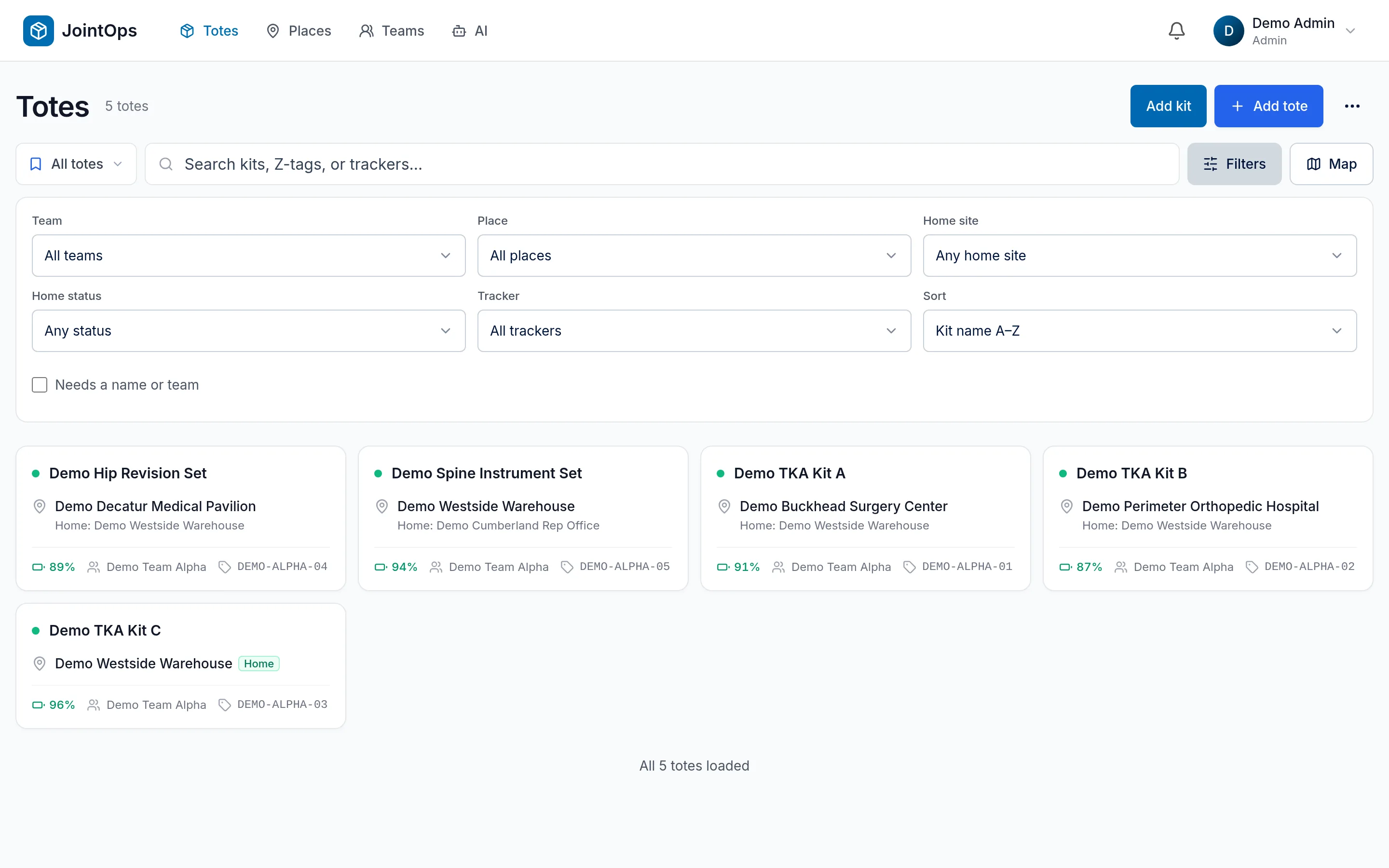
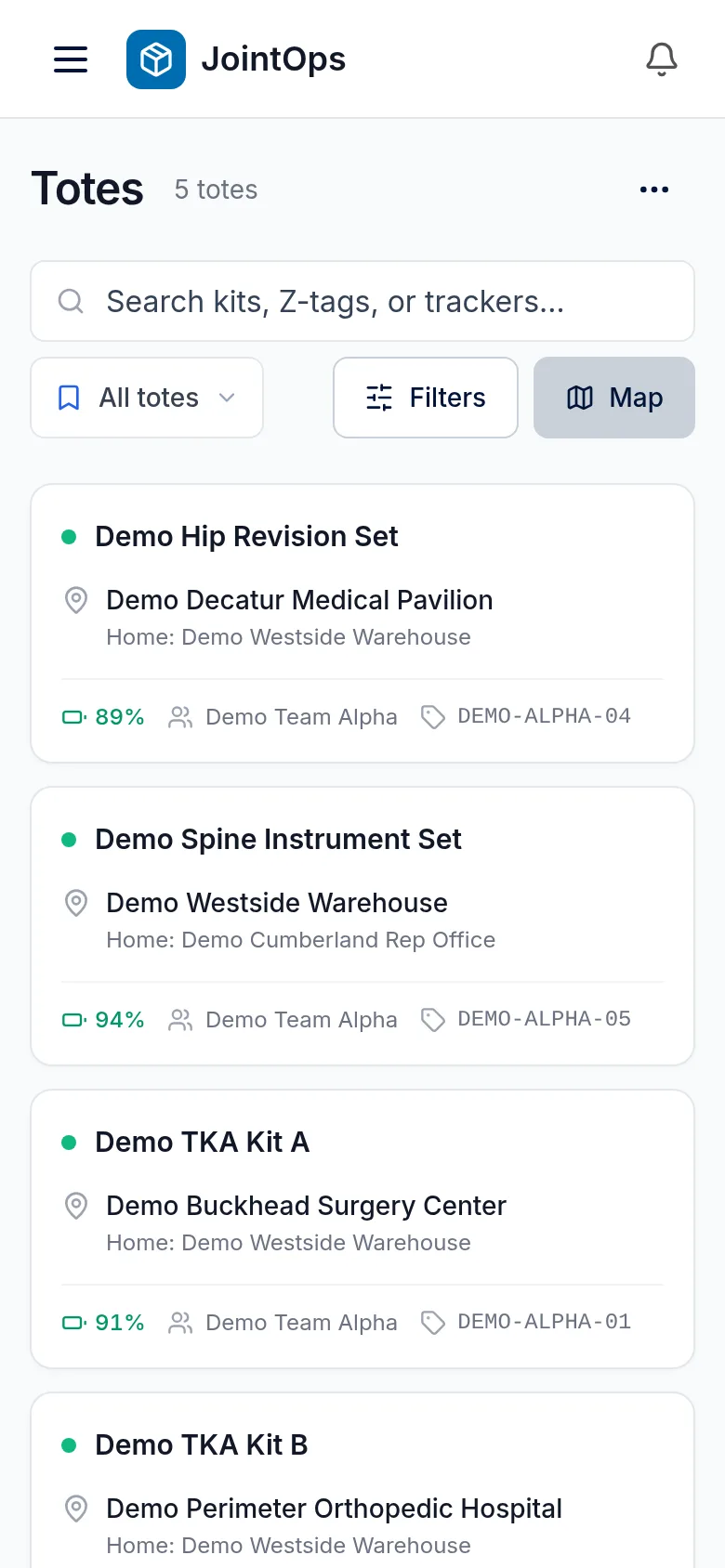
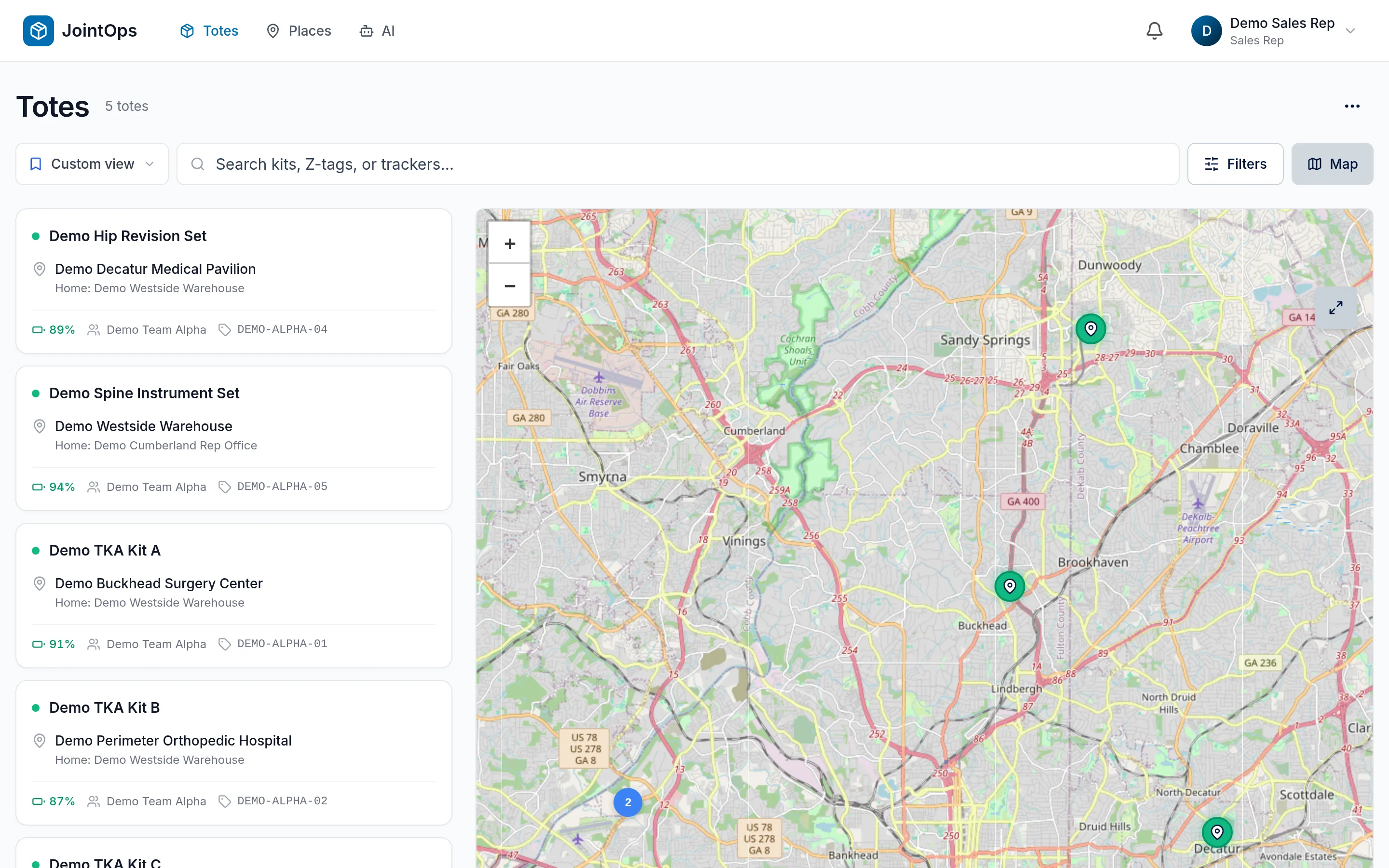
JointOps totes dashboard with a list of totes beside a map of their locations, on demo data
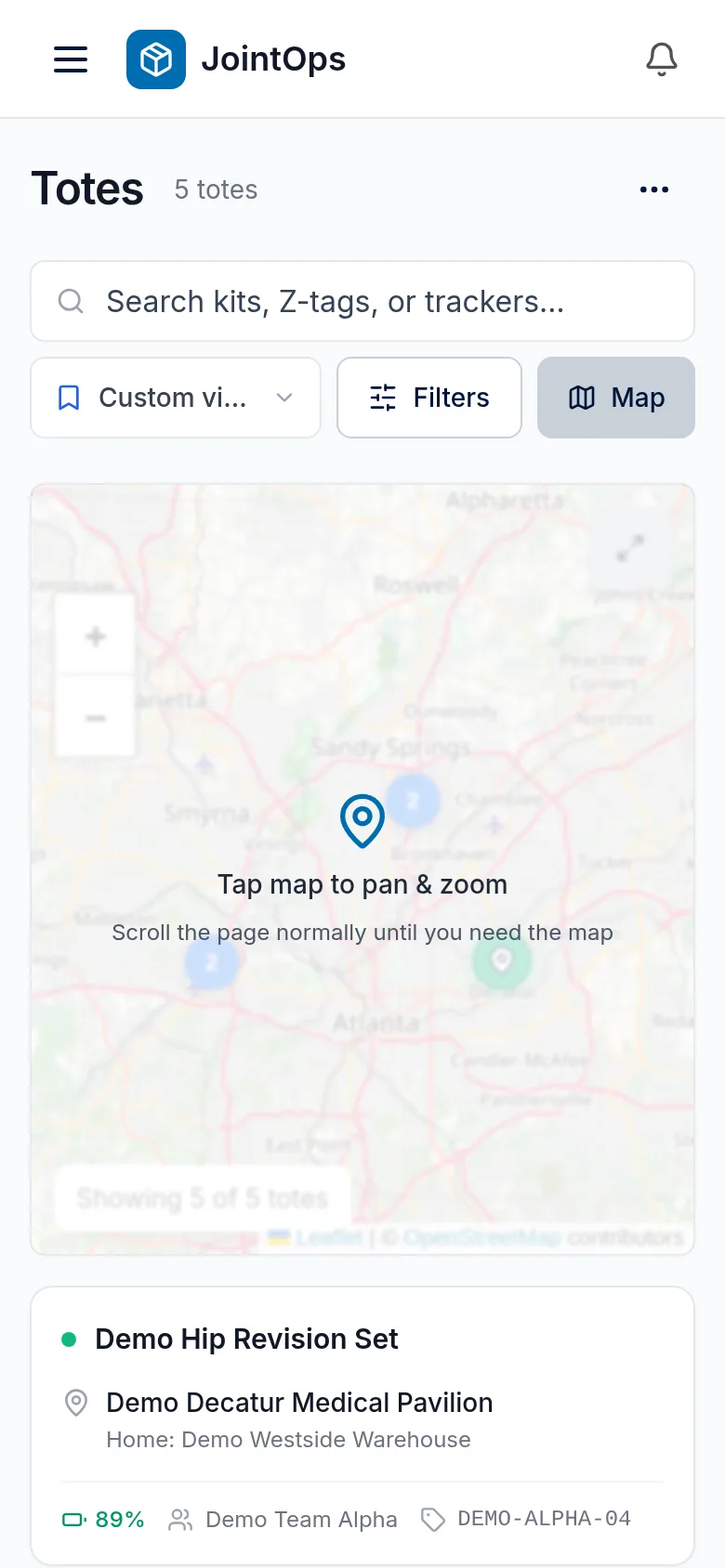
JointOps map on a phone, on demo data

Loaner kits don't stay put.

A tote can go from the warehouse to a rep, to a hospital, through sterile processing and on to the next case. Every hand-off happens somewhere different, and finding one usually means calling around.

  1. Warehouse
  2. Rep
  3. Hospital
  4. Sterile processing
  5. Next case

Fleet map

One plain answer to “where is it?”

JointOps calls a kit a tote. Every tote shows up on one dashboard, with a map alongside. Search it, filter it by team, place or home site, save the views you use, and export to CSV.

  • At homeAt its home site, named so nobody has to decode it.
  • At another siteAt one of your other places, or at a street address if it's somewhere new.
  • In transitMoving at its last report, and not at any of your sites.
  • Location unknownSaid plainly, along with when it was last seen, rather than a stale pin.

Tote record

Open a tote and see where it stands.

Every tote has one page with what your team needs to answer the question in front of them.

What you get
  • Last check-in and last GPS fix, so you can see how fresh the location is
  • Location with one tap through to Maps
  • Tracker serial number, battery level and temperature
  • Recent location history: ask the assistant where a tote has been
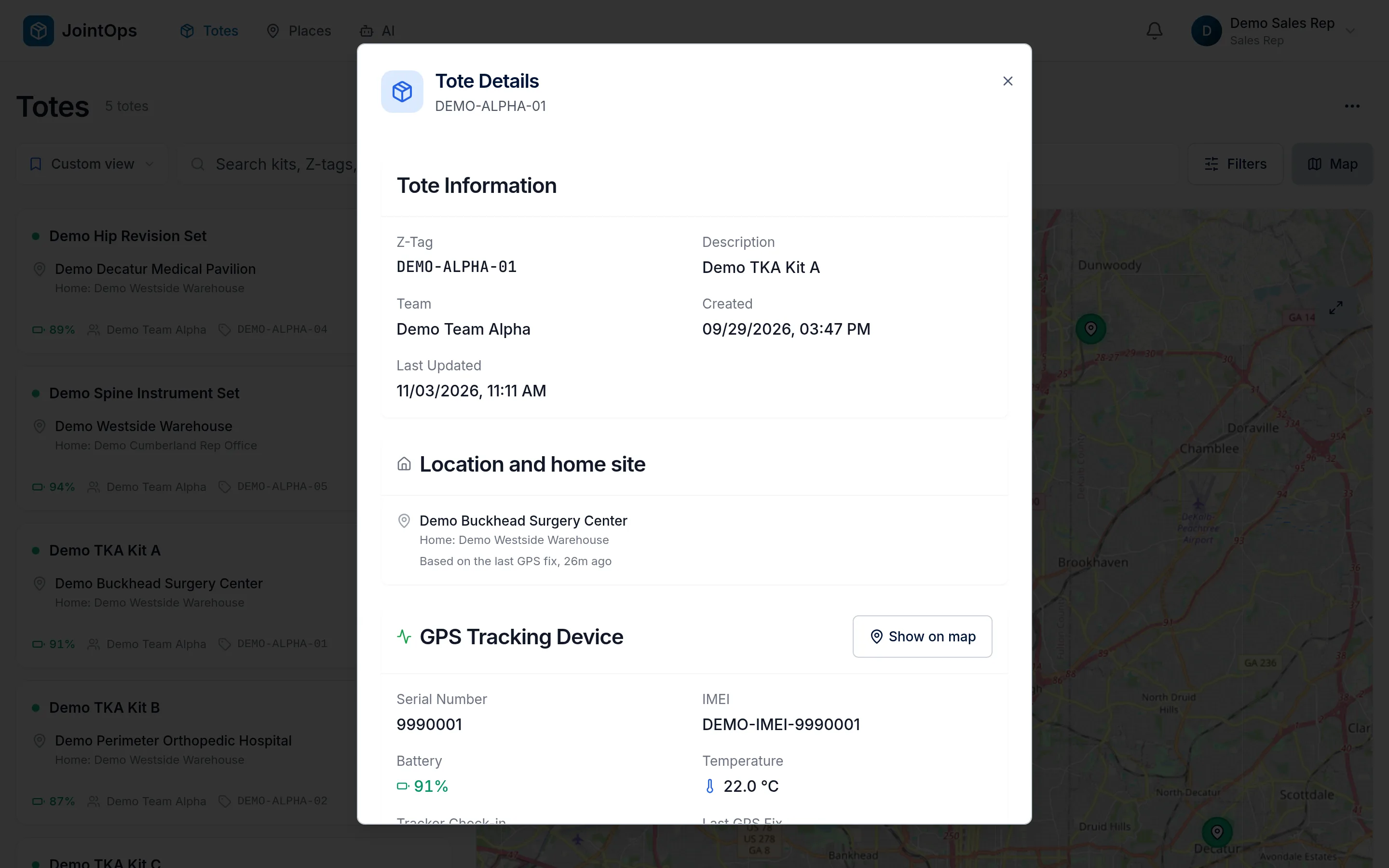
JointOps tote detail screen showing a tote's location history, on demo data

Places and home sites

Every kit has a home. See which ones aren't there.

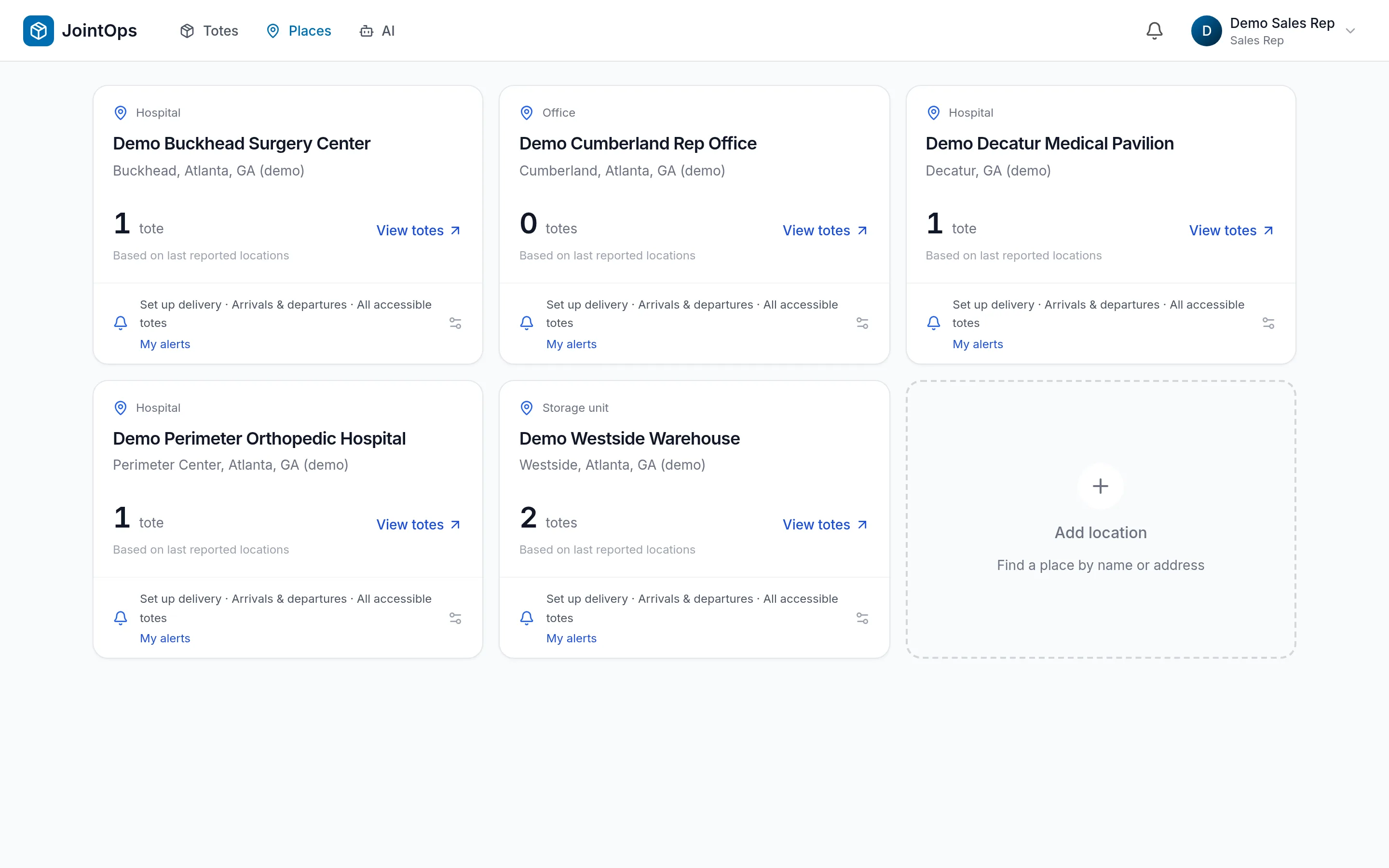
Add the hospitals, offices and storage rooms you work with, then give each kit a home site. JointOps shows whether it's home, at another site, or on the road.

What you get
  • Filter the fleet by home site and home status
  • Set home sites in bulk from a CSV or Excel file, with a check step for name matches
  • Get an alert when a tote arrives at or leaves a place
JointOps places screen listing locations and the totes at them, on demo data

AI assistant

Ask in plain language. Get a link to the exact tote.

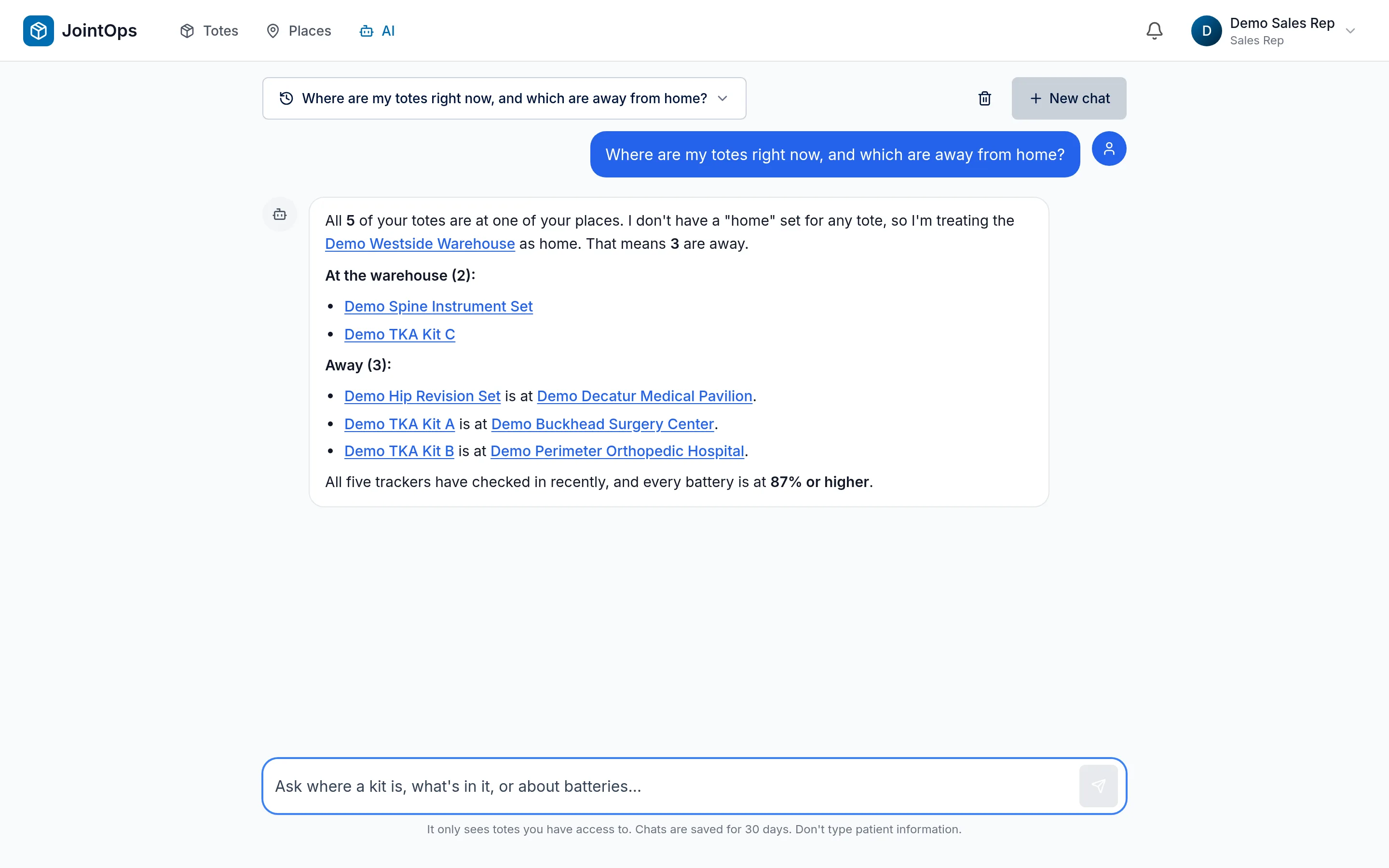
Skip the filters. Ask the assistant which totes are at a place, which batteries are low, or where a tote has been, and open what it names with one click.

What you get
  • Answers about totes, batteries, history, places, arrivals and departures
  • Every tote and place it mentions links straight to the record
  • Can rename totes and pair trackers for you, within your own permissions
JointOps AI assistant answering a question about totes, on demo data

Battery health

Replace a battery before a tracker goes quiet.

Battery level sits on every tote, and the dashboard calls out the ones that need attention, so a dead tracker doesn't surprise you the day of a case.

What you get
  • A replace-battery banner on the Totes dashboard
  • A sortable list of totes at or below 19%
  • Export the list to CSV for whoever is doing the rounds
JointOps list of totes whose tracker batteries need replacing, on demo data

Adding kits

Add a kit in one flow.

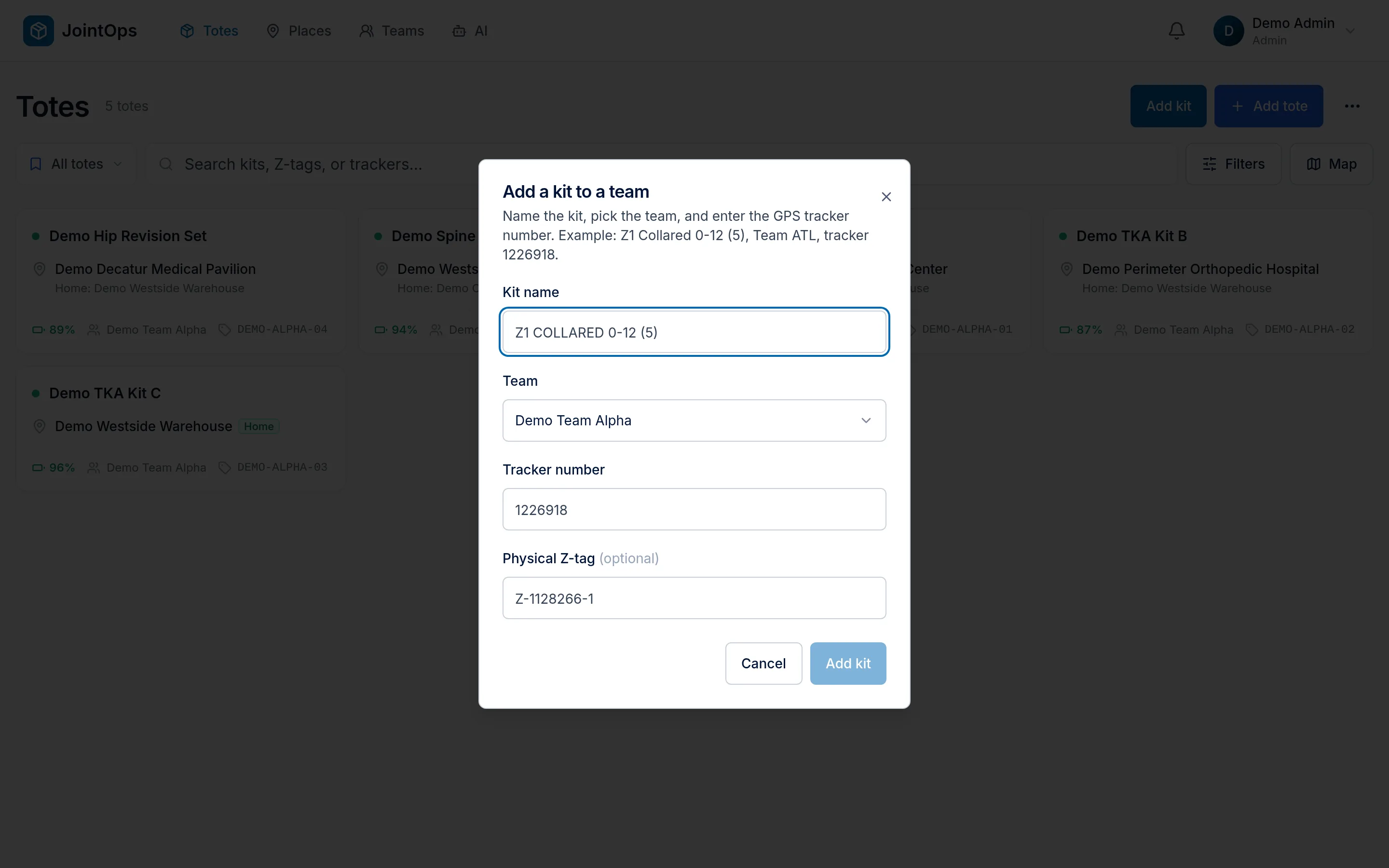
Name the kit, pick the team, and attach its tracker from one form. Admins can do it themselves, without filing a request.

What you get
  • Teams come from your organization's own list
  • A tracker already paired to another tote is refused, not silently moved
  • See tracker serials and unlink them from the team screen
JointOps add a kit form with name, team and tracker fields, on demo data

On your phone

Right there in the parking lot before a case.

JointOps works in the browser on the phone a rep already carries. There's nothing to download.

What you get
  • A layout built for phone screens, with its own navigation
  • Reps get a separate, simpler app: Totes, Places and the assistant
  • Admin controls stay in the admin app
JointOps tote list on a phone, on demo data
JointOps map on a phone, on demo data

Screens show a demo organization with fictional data.

How it works

From a tracker in a box to a fleet you can see.

  1. Add the kit

    Give the tote a name people recognize and add it to a team.

  2. Attach a tracker

    Pair a tracker in the same flow. From then on it checks in on its own.

  3. Set its home

    Pick a home site, one at a time or in bulk from a spreadsheet.

  4. Open the map

    Admins and reps open JointOps and see where the tote is and when it last reported.

Who it's for

Built around the people who move kits.

  • A stack of blue attached-lid plastic totes on a trolley

    Distributors

    Run the fleet from an admin view: invite people by email, set what each person can do, and manage teams.

  • Illustration: a tracker mounted on the side of a blue plastic tote (stock tote photo with a drawn tracker)

    Sales reps

    Find your own totes before the case, in a simpler view, without waiting on the office or wading through admin controls.

  • An empty perforated stainless steel surgical instrument sterilization tray

    Hospital operations

    Work with distributors who can look up where a kit is, rather than having to go and track it down.

Stock photography of generic plastic totes and an instrument tray. The tracker on the Sales reps tote is an illustration added to a stock photo.

Security and boundaries

Plain answers about who can see what.

Have a security questionnaire or a question this doesn't cover? Ask us and we'll give you a straight answer.

Role-based access

Admins and reps use separate apps. Per-person permissions control who can view, edit, invite and manage.

Scoped to your organization

Tote data is scoped to your organization, and to the team unless someone is allowed to see every team.

Encrypted in transit

The web app runs over HTTPS, and plain HTTP requests are redirected to it.

Logistics, not patient records

JointOps tracks kits and the logistics around them. Trackers report location, battery and temperature, not patient data, and JointOps doesn't replace your EMR.

Stop calling around to find your kits.

Tell us a little about your team and we'll set up a walkthrough. JointOps runs on trackers from Aion Trackers.

Please don't include any patient information.